Imagine you want to build a treehouse. You could hire one helper who stands next to you and hands you tools while you do the work. Or you could hire a small team of helpers who each build a different part while you walk around and check on them.
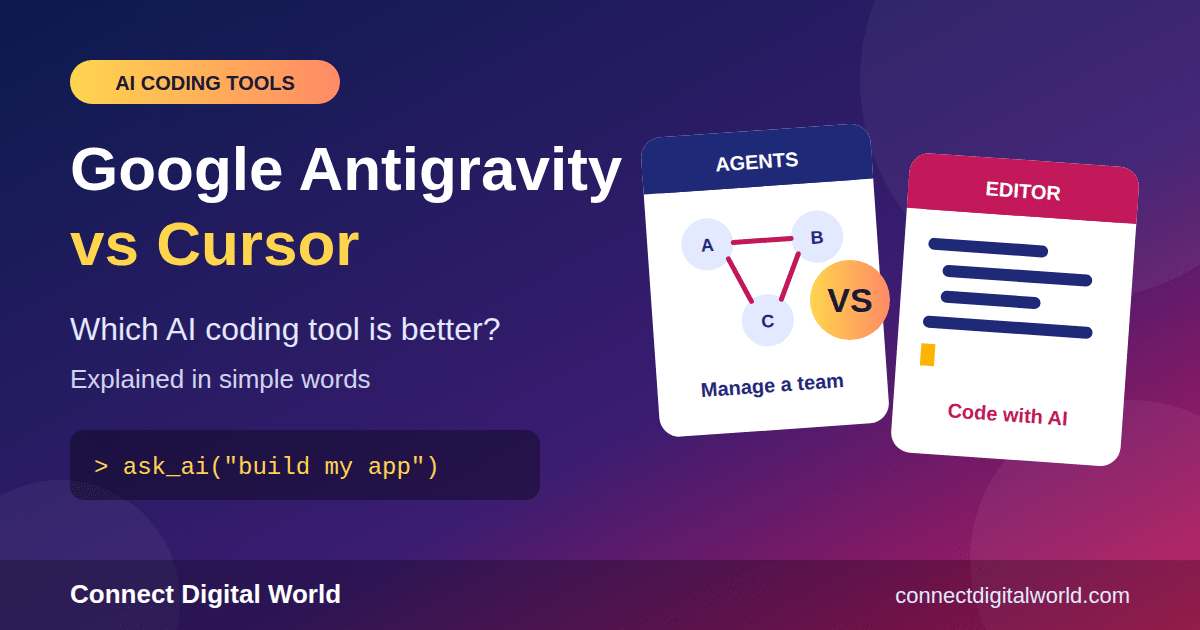
That is a nice way to understand the big question in this blog: Google Antigravity vs Cursor. Both are AI tools that help people write computer code. But they have two very different ideas about how that help should work. In this guide, we explain both in simple words, compare them side by side, and help you decide which one fits you.
Quick Answer: Which One Should You Pick?
- Pick Cursor if you like writing code yourself and want a smart helper beside you, in an editor that feels familiar.
- Pick Google Antigravity if you want to hand jobs to several AI helpers at the same time, or you already use Google’s AI tools.
- Not sure? Try the free options first. Many people use both for different jobs.
First, What Is an “AI Coding Tool”?
Every app, game and website is built from code. Code is a set of instructions that tells a computer what to do, a bit like a recipe tells a cook what to do.
Writing code can be slow. A programmer has to type a lot, fix mistakes and test everything. An AI coding tool is a program that uses artificial intelligence to help. You can ask it, in normal words, to write code, fix a bug or explain what a messy piece of code does.
Think of it as a super-fast helper who has read an enormous number of coding books. It does not always get things right, so people still need to check its work, but it can save hours.
What Is an IDE?
You will see the word IDE a lot. It stands for integrated development environment. That sounds scary, but it simply means the app where programmers write code. It is like a word processor, but made for code, with colours, hints and tools built in.
Meet Google Antigravity
Google Antigravity is a coding platform from Google. It first appeared in November 2025 and was built around Google’s Gemini AI models. Google calls it an “agent-first” tool.
What Does “Agent-First” Mean?
An agent is an AI helper that can do a whole job on its own, not just answer one question. You might say, “Add a login page to my website,” and the agent will make a plan, write the code, run it and show you what it did.
“Agent-first” means the tool is built around these helpers. Instead of you typing most of the code, you act more like a team manager. You give out tasks, watch the progress and check the results.
The Main Ideas Behind Antigravity
- Several agents at once. You can have more than one helper working at the same time on different jobs.
- A “command centre” feel. Newer versions have a desktop app where you can see and manage your agents in one place.
- Proof of work. Agents can leave behind plans and screenshots, so you can see what they did and why.
- Gemini first. It works best with Google’s Gemini models, and it can also use some other models.
Google has also split Antigravity into a few pieces: a desktop app for managing agents, a code editor (IDE) based on the same foundation as VS Code, and a command-line version for people who like typing commands.
Meet Cursor
Cursor is an AI code editor made by a company called Anysphere. It has been popular for a while, and many programmers use it every day.
Cursor is built on top of VS Code, one of the most popular code editors in the world. That means if you have used VS Code before, Cursor feels very familiar. The menus, shortcuts and extensions look and work in a similar way.
The Main Ideas Behind Cursor
- You stay in the driver’s seat. The AI suggests, you approve. It is like having a very clever co-pilot.
- Smart autocomplete. As you type, Cursor guesses what you want to write next.
- Chat with your code. You can ask questions about your project and get answers right inside the editor.
- Agents too. Cursor now has agent features as well, including a newer workspace where several agents can work at once.
- Your choice of AI brain. Cursor lets you pick between models from different companies, such as Anthropic, OpenAI and Google, as well as its own Composer model.
The Big Difference in One Picture
Here is the simplest way to remember it.
- Cursor is like riding a bicycle with a motor. You still pedal and steer, but the motor helps you go faster.
- Antigravity is like being the boss of a small delivery team. You tell each person where to go, then check the deliveries when they arrive.
Neither style is “better” for everyone. It depends on how you like to work.
Side-by-Side Comparison Table
Here are the main points in one place. Remember that AI tools change quickly, so always double-check on the official websites.
| Feature | Google Antigravity | Cursor |
|---|---|---|
| Main idea | Agent-first: you manage AI helpers | Editor-first: you code with AI help |
| Made by | Anysphere | |
| Based on VS Code? | Its IDE is; the agent app is separate | Yes |
| Starting paid price | About $19.99/month through Google AI Pro | About $20/month (Pro) |
| Free option | Yes, with usage limits that refresh | A limited free plan |
| AI models | Gemini first, plus some others | Many, from several companies |
| Team plans | Through Google Workspace or Google Cloud | Teams plan (about $40 per user/month) |
| Best for | Trying many agents and Google users | Everyday hands-on coding |
Round 1: Ease of Use
Cursor wins for beginners who already know a code editor. Because it looks like VS Code, there is not much to learn. You open a project, start typing and the AI helps.
Antigravity can feel different at first. You are not just writing code, you are guiding agents. That is powerful, but it takes a little time to get used to. It is like moving from playing a video game to coaching a team.
Round 2: Price
The paid plans are almost the same price: roughly $20 per month for each. The real difference is in the free options and the limits.
- Antigravity offers a free tier, but usage limits can run out and then refresh later. The faster refresh comes with a paid Google AI plan.
- Cursor offers a limited free plan, and heavy use can lead to extra charges on some plans.
Here is a tip: if you only code a little, try the free tiers first. Pay only when you keep running into the limits.
Round 3: AI Models (the “Brains”)
An AI model is the “brain” behind the answers. Better brains usually mean better code.
Cursor gives you lots of choice. You can switch between models from different companies depending on the job, like picking the best tool from a toolbox.
Antigravity leads with Google’s Gemini models, and it also supports some models from other companies. If you love Gemini, you will feel right at home.
If you like to experiment and pick your own brain, Cursor has the edge. If you are happy to go with Google’s best, Antigravity works well.
Round 4: Working With Many Agents
This is where Antigravity really shines. It was designed from the start for running several agents together, and it shows you plans and screenshots so you can check what each helper did.
Cursor has caught up here. Its newer workspace lets you run several agents too. Still, many developers feel Cursor’s heart is the editor, while Antigravity’s heart is the agent team.
Round 5: Trust and Safety
AI agents can run commands and change files, so safety matters. Here are a few things to keep in mind, whichever tool you use:
- Always keep a backup of your project, or use version control such as Git.
- Read what the AI changes before you accept it.
- Do not give an agent access to secret passwords or private keys.
- Check each company’s privacy settings if you work with private code.
Newer tools sometimes have bugs or security issues early on, so it is wise to be careful and update regularly.
Round 6: Who Is It For?
Cursor Is Great If You…
- Already use VS Code.
- Like to read and approve every change.
- Want to choose between many AI models.
- Work in a team that needs shared plans and controls.
Antigravity Is Great If You…
- Want to give jobs to several agents and check later.
- Already pay for Google AI tools.
- Like trying the newest ideas.
- Want a free place to start experimenting.
A Simple Example: Building a To-Do List App
Let us imagine you want to build a small to-do list website.
With Cursor, you would open a project and start a new file. As you type, Cursor suggests lines of code. You ask the chat, “Add a button to delete tasks,” and it shows the change. You click accept, test it and move on, step by step.
With Antigravity, you might write, “Build a to-do list website with add, delete and done buttons.” One agent plans the page, another writes the code and a third tests it. Later you look at the plan and screenshots and decide if it is right.
Both ways get you to a working app. The first feels more hands-on. The second feels more hands-off.
Can You Use Both?
Yes! Many developers do exactly that. For example, you might use Antigravity to start a big task with a few agents, then open the project in Cursor to polish the details by hand. There is no rule that says you must pick only one.
Other AI Coding Tools to Know About
- Claude Code: a tool that works in the terminal for bigger, more independent tasks.
- GitHub Copilot: a popular helper that adds suggestions inside your editor, often at a low price.
- Windsurf and other AI editors: more choices if you want to compare.
Should Kids and Beginners Use These Tools?
AI coding tools are a fun way to learn, but they should not replace learning. If the AI writes everything, you may not understand how it works. A good habit is to ask the AI to explain its code in simple words, then try to change a small part yourself. That way you are learning, not just copying.
Simple Word List (Glossary)
- Code: Instructions that tell a computer what to do.
- IDE: The app programmers use to write code.
- AI agent: An AI helper that can do a whole task on its own.
- Model: The “brain” of an AI.
- VS Code: A very popular code editor.
- Bug: A mistake in code.
- Git: A tool that saves versions of your project so you can undo mistakes.
- Preview: An early version of a product that is still being tested.
Frequently Asked Questions (FAQ)
What is the main difference between Google Antigravity and Cursor?
Antigravity is built around AI agents that you manage like a team. Cursor is built around an editor where you code with AI help beside you.
Is Google Antigravity free?
It has a free tier with usage limits. Paid Google AI plans give you more and faster-refreshing usage. Check Google’s official page for the latest details.
How much does Cursor cost?
Cursor has a limited free plan and a Pro plan that starts at about $20 per month. Team plans cost more per user.
Which is better for beginners?
Cursor is usually easier if you already know VS Code. Antigravity is great if you want to explore the “AI team” idea.
Which one has more AI models?
Cursor offers a wider choice of models from different companies. Antigravity focuses on Gemini and supports some others.
Can I use both together?
Yes. Many developers use one for big agent tasks and the other for careful, hands-on editing.
Will AI replace programmers?
These tools make programmers faster, but people are still needed to decide what to build, check the results and keep things safe.
Final Verdict
So, Google Antigravity vs Cursor: which is better? The honest answer is that it depends on you.
If you want a smooth, proven editor with plenty of model choices, Cursor is a safe pick. If you want to explore a team of AI agents, especially with Gemini, Google Antigravity is exciting to try. Since both have free or low-cost ways to start, the best idea is to test them on a small project and see which style makes you happy.
Which one will you try first? Tell us in the comments. For more simple tech guides, keep following Connect Digital World.
Sources: Comparisons and product information from public reviews and guides including TechRev, Humai, Layer3 Labs and Morph, plus the official Google and Cursor websites. Details were current at the time of writing and may change.